July 14th, 2012 Brian Herzog
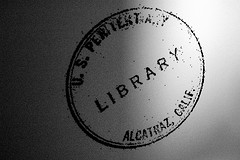 Today's reference question is a little different - another librarian emailed me and asked,
I have a question for you. In your opinion, do we have to answer reference questions from inmates? I received a letter from an inmate in Iowa Park, TX which is like 600 miles away and has it's own library.
As far as I know, this person isn't from here (which I guess shouldn't matter, either). It's just so creepy. The good thing is I can barely read his writing. From what I can make of it he wants a list of addresses of billionaires and occult something or other.
What would you do?
When I've gotten reference questions from prisoners in the past, we've always just answered them like any other mailed question. But, I have noticed that they seem to fall into one of two categories:
- legitimate research (which is great)
- asking for contact information for a number of specific people, or for groups of people (like "millionaires" or "reporters")
I've never not answered a question from an inmate, but I usually don't correspond with follow-up requests (which, every time they've come, have strayed widely from the original question). In those cases, I suppose the inmate could be just bored and looking for a penpal. I figure that if the question doesn't have anything to do with the local area, chances are the inmate sent the exact same question to lots of other libraries just hoping someone will respond.
I was curious if this was the right approach though, so I contacted Jackie Weddle, Librarian at the Maine State Prison. She said that inmates in her prison always start with her first - but because of the environment and their topics, she can't always help them. Perhaps those are the questions that then get sent out to public libraries.
If I ever have concerns about a question from an inmate, I contact the prison to find out what can and cannot be sent to inmates. But based on Jackie's answer, I think in the future I'll try to get in touch with the prison librarian, instead of a guard or administrative person. Chances are, the librarian will have a history with the inmate, and should be able to provide good advice on how to handle the request.
I'm curious though - do other libraries have policies about responding to questions from inmates? Does it matter if the inmate or topic isn't local?
And thanks to Jackie for providing some inside information!
Posted under Uncategorized | 9 Comments »
July 11th, 2012 Brian Herzog
Over the weekend, Stephanie tweeted:
I thought she was right on (sadly), so I retweeted it. The next day, @OverDriveLibs replied:
Good on them for paying attention and being open to ideas. Since they're listening, I put together the following list that I think would improve the Overdrive experience.
Granted, I know their web interface is somewhat customizable, so different libraries have different looks and slightly different experiences. And, I know they have a mobile interface, which I'm going to ignore for now. I also won't even talk about Overdrive Advantage, because I don't know how much just seems overly complicated to me due to my library being part of a consortium.
- Remove the bookbag entirely.
It doesn't seem like a whole lot of people shop for and then check out a bunch of books at once. In my experience, most people look for one book at a time, and then download it. This process becomes overly complicated by having to add that one book to the bookbag, review the bookbag, then proceed to checkout to download it. I think Overdrive would be so, so much easier to use if, instead of the "add to bookbag" link, people clicked a link that would take them right to the download process.
If you make downloading a book easy enough, and then return people back to where they were after downloading is complete, you don't need a bookbag anyway.
- Combine the loan-period selection screen with the download button screen.
Once someone chooses a book they want to check out, they should be taken to a single screen that lets them choose the loan period AND click a button to download right from that page. Combining these eliminates a step, which would go a long way to making Overdrive easier to use. The whole experience should be:
- search for book, then click the link to get the book
- choose loan period, click "Download" or "Get for Kindle" button
- struggle with DRM software*
- enjoy book
I see no reason why the process couldn't be this streamlined.
- Change "add to bookbag" link text.
With the bookbag gone, the "add to bookbag" link needs to be changed. One problem I've seen patrons have is making sure they choose the right format - because format is specified on the left of the screen, but the link they need to click is on the right.
It seems difficult to make a mistake, but I have watched more than one person do it - especially in this scenario: Someone has a Kindle, and they limit to show only available items. The Kindle item is checked out, but the EPUB line says "add to bookbag" - the person is thinking Kindle, and sees the "add to bookbag" link, so they click it. Likewise, I've also seen people download an ebook thinking they were getting an audiobook.
My suggestions for better link text is:
| Instead of |
Replace with |
| add to bookbag |
Download Kindle Ebook
Download EPUB Ebook
Download WMA Audiobook
Download MP3 Audiobook |
| place a hold |
Request Kindle Ebook
Request EPUB Ebook
Request WMA Audiobook
Request MP3 Audiobook |
I actually go back and forth between "Download Kindle Ebook" and "Checkout Kindle Ebook" - Checkout has better library connotations, but Download is more evocative.
- If someone limits to a format, show only that format.
I hate that a patron can limit to see only Kindle books, and yet EPUBs will still display, if we have both formats for the same title. If someone limits to Kindle, then hide the EPUB line from the image above (and same for audiobooks).
And because format is so important, it should be easier to limit to format - for instance, provide a separate interface for each format that libraries can link to, like, "click here to search for EPUB ebooks." And then, all the patron would see are EPUB ebooks, without them having to further limit to format.
The advanced search format limiter box should include options for "all Ebooks" and "all Audiobooks" options, since someone with an iPad and a Kindle app can use either format. Also, when someone limits to format in advanced search, this should stick even if they click a "Browse by Genre" link too.
Patrons should be able to save their preferred format in their account settings, so they don't have to keep limiting every time they return.
- Change the search algorithm to AND and not OR.
If you search my consortium's Overdrive catalog for "vonnegut last" there are 42 results. However, a search for just "vonnegut" gets four results, and a search for just "last" gets 38. 4+38=42, which means there is no overlap between those search terms. Most people searching for more than one word except to find items containing BOTH of those words.
When our Overdrive catalog was new, and we didn't have a lot of items in the collection, using the OR operator seemed like a cheap trick to make it appear that we had a bigger collection than we did. We're past that now, and clogging up the search results with everything under the sun just adds to why Overdrive is difficult to use.
- Keyword searches should search title and author fields
This refers to the keyword search on the advanced search screen. "Keyword" seems like is should search everything, but it doesn't. Why not? If it's not actually a keyword search (like the basic search box on every page), then call it something else. Or better yet, just replace it with the actual keyword search.
- Add a direct link to the software download page.
The Overdrive Help pages are getting better, but the fact that they periodically change means that library staff even need to refamiliarize themselves with how to help patrons. The most common question that sends me to the Help pages is to download Overdrive Media Console or Adobe Digital Editions. However, none of the options on the Help screen mention downloading software, and I can never remember which one it's hidden behind. Just having a "Download Free Software" option on the Help screen, which leads to a device/OS selection, would be great.
- AARRGH!
I know this is beyond Overdrive, but getting things set up on an iPad can sometimes get trapped in a loop: in order to install the Overdrive app, you need to create an Adobe ID, but one of the Adobe webpages requires flash, which the iPad does not support, so you have to use a computer to actually accomplish everything. This doesn't happen every time, and I don't know why it does sometimes and not others, but I've seen patrons trapped in this loop more than once - and Overdrive gets the blame every time (justified or not), which just sours the patron on using Overdrive in the future.
I sure this is just the tip of the iceberg. Since Overdrive asked for input, please suggest what improvements you'd like to see in the comments below or tweet them to @OverDriveLibs.
*DRM is a much larger issue, and not entirely under Overdrive's control - so I won't even discuss it here, and instead just focus on their interface and things they can improve. But let's all enjoy The Brads Why DRM Doesn't Work comic once again.
Posted under Uncategorized | 31 Comments »
July 7th, 2012 Brian Herzog
 A patron called asking about videos to rent*. My standard reply in this situation is to ask for the the title the patron is looking for - to my surprise, she replied:
I'm not exactly sure, but I think it's "The Midget Bible."
I had no response to this. Luckily, the patron followed it up with,
Tim Conway was in it.
Ah, I bet she was talking about the Dorf on Golf videos. A quick search for dorf bible showed the title is Dorf's Golf Bible.
Unfortunately, we don't have it in the catalog - actually, there were no Dorf videos in our consortium at all. She was a little sad, but not entirely surprised. I, on the other hand, got to speculate on the other possibilities for a "Midget Bible" for the rest of the day.
*I know it's kind of just semantics, but people using the term video bothers me (and not just because it's ambiguous). But even moreso when people talk about "renting" things from a library. I think they know what they mean, but I believe that thought can follow speech, and not speaking accurately can lead to thinking inaccurately. But, I'm like that.
Posted under Uncategorized | 4 Comments »
June 30th, 2012 Brian Herzog
 Since school ended and the weather has been nice, the reference desk has been pretty slow. Most of the requests we've had have been to help kids find school summer reading books - but this one was a little different.
A woman came up to the desk carrying a couple YA books. She was obviously in a hurry, and I think because she was trying to rush, it took me a bit to actually figure out what she was asking* - it turned out, she had found on the shelf books three and four in the Rangers Apprentice series, and wanted to know if we had books one and two checked in.
I searched the catalog, but unfortunately books one and two were checked out. When I offered to place a hold on them for her, she said,
No, my son wants to read these on our vacation but we're leaving right now and the kids are in the car in the parking lot and I have to go.
And she turned and literally ran away from the desk and up the stairs to the circulation desk.
Ha. When I go on a road trip, my last stop before hitting the road is usually the gas station - awesome that that someone's point of departure is filling up on books.
*Initially, she asked me if we had any "earlier editions of this book." However, she didn't offer to show me what book she was talking about, and then when I tried to clarify if she actually was looking for an earlier edition of that book, or if she wanted the earlier books in the series, she seemed to take offense. I wasn't trying to be a jerk, just make sure of what she was really after - but I think she viewed me as just dead weight slowing her down at that point.
Posted under Uncategorized | 2 Comments »
June 27th, 2012 Brian Herzog
 At a meeting last week, a colleague from my consortium's central office showed off a free program he found called Fences. Its function is simple: group desktop icons together in labelled boxes.
Of course I like organization, so this appealed to me. This was the first time I'd seen something like this, but it wouldn't surprises me if a similar function was native to OS X or Windows 7 (Fences looks like it's Windows-only).
I don' t know that I'd actually use this on my personal computer, but I've been thinking about using this on my library's public workstations.
We deliberately limited the number of desktop icons on the public computers to keep things from being confusing and overwhelming. But, if we organize things with Fences, and label each group, we might be able to present more options while still keeping things understandable.
I could see Fences for Microsoft Office programs, Browse the Internet (with a variety of browsers to choose from), Local Websites (maybe the local news sites, Town Hall, the schools), and then perhaps also some to highlight library tools or pages on our website.
I obviously haven't finalized things yet, but I like that this got me thinking about a new way to do things. Thanks Tracy!
Posted under Uncategorized | 7 Comments »
June 23rd, 2012 Brian Herzog
 This reference question can be filed under, "no matter how much you know about something, there's still more to learn."
One afternoon this week, a patron called in and asked for me specifically. She had a question about Microsoft Word, and since I've always been able to solve her technology questions in the past, she knew I'd have an immediate answer this time. Her question was:
How do you make Word automatically indent the first line of every paragraph?
I thought for a minute, and then realized - I had no idea how to do this. Whenever I want to indent, I just hit the Tab key. But she wanted it to indent automatically - which I was sure Word probably did, I just didn't know where this was in the menus.
I figured it had to be a Paragraph format option though, so I clicked the little square in the bottom right corner of the Paragraph box on the Home ribbon in Word 2007. Nothing immediately stood out, so I did a quick web search for word indent first line of every paragraph, and the first result explained how to do it - turns out I was on the right track.
Once you get to the Paragraph format box, you need to select "First line" from the "Special" dropdown box in the middle of the page. Then you can also set how much to indent by.
Great. I found all this in a minute or so, making small talk with the patron while I searched. As I started guiding her through how to do it, we hit a snag: she's still using Word 2003, and I'm on Word 2007 (which is also what the online directions were for).
I use this Paragraph format box all the time, but for the life of me I could not remember how to get to it in the Word 2003 menus. So, it was another web search for word 2003 paragraph menu, and again it was the first result that gave me the answer: Paragraph was an option on the Format menu.
Now I can navigate the patron to the Paragraph box and explain how to set the auto-indent feature. It work, she was delighted, and I was able to maintain my perfect record for her tech support - even though I had never done this before in my life.
Which just goes to prove the reference librarian's motto: you don't need to know everything, you just need to know how to find everything.
Tags: 2003, 2007, indent, libraries, Library, microsoft, paragraph, public, Reference Question, tech support, Technology, word
Posted under Uncategorized | 3 Comments »



