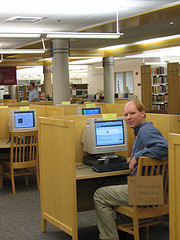
In 2008, I announced the first "Work Like A Patron" day - I've been mostly quiet about it since, but David and Jessamyn have both talked about the idea lately, so I thought I'd offer it up again.
The point of Work Like A Patron day is to remind librarians that libraries are for patrons, and it's important to gauge the result of our efforts from their point of view. I know lots of people do this on a daily basis anyway, but for my own benefit it helps to make a special effort to view the library through a patron's eyes.
Wednesday, October 12, 2011
Work Like A Patron day takes place on the Wednesday of the week six months after National Library Week. That was April 10-16, so this year's Work Like A Patron day will be Wednesday, October 12 - that's just two weeks away!
Ideas for Working Like A Patron
I know every library is different, and lots of people routinely do these things, but here are a few things I do to get out from behind the desk and experience the library like a patron:
enter and leave the library through the public entrance (not the staff doors)
use the public restrooms
try doing some work on the public computers
call the library's main number and negotiate the phone system
reserve public meeting rooms for meetings
return your items in the book drop
navigate the library's website as if you're not already familiar with it
follow all library policies
read posted signs to see how helpful they are
Obviously, not everything will be applicable to every library, and not all library staff can do their work away from their desks. The real point of Work Like A Patron day is to just spend some time experiencing the library like a patron, not like a librarian.
Share your Experience
I'm always curious to hear about it, so if you'd like to share what you did on Work Like a Patron day, tweet with the hashtag #wlap or add a link to the Library Success wiki Work Like A Patron page. Or, of course, share in the comments below.
A patron came up to the desk with "SONY" written on a piece of paper. He said,
This is the kind of TV I have; can I plug headphones into it? I looked at the television but there are so many little plug holes that I don't know what they're all for.
I explained that Sony makes lots of different models, some with and some without headphone jacks. We really needed the actual model number of his television to answer this, so he said he'd go home and look for that and call me when he found it.
20 minutes later he calls, and I do an image search for sony kdl32l5000 to look at the pictures. My logic was that a headphone jack would probably be right on the front of the television if anywhere, so it should be easy to spot. If that didn't work, then I'd look for specs or a manual.
I found lotsofpictures of the front, back, and sides of the television, but didn't see a headphone jack anywhere. None of the reviews mentioned headphones either. To double-check, I visited the Sony's product webpage for this television. I did Ctrl+F to search for headphone on the page, but there was no mention - and disappointing product images, too.
All the while, the patron had been describing the jacks he could find - none of which had a picture of little headphones next to it.
For a quick last attempt, I did another search for kdl32l5000 headphones and found the manual, and also the chat log of someone offering support for this exact question. I found the chat log hilarious, but between that and everything else I'd found, the conclusion was that there is no headphone jack on this television.
The patron was fine with that when I told him. However, in the meantime he had inadvertently pulled all the other wires out of the television while sliding it around, so the headphones were now the least of his worries.
Since getting back to work this week, I've been trying to get caught up on emails and feeds.
Stephen's Lighthouse linked to the top 25 most downloaded titles on Overdrive - which reminded me that I had recently done our year-end database usage stats, and compiled highest-access titles for our Safari Computer Ebooks database.
The Safari stats interface doesn't make it really easy to identify this. Finding the number of sessions isn't too bad*, but we have to report the total number of "circulations" for these ebooks - which to me means the number of times each one was accessed.
I was able to run one report that seemed like a master total usage report, which I think indicated that 433 of our ebooks have been "hit" a total of 12,256 times.
Also interesting, if I'm reading these reports right, those 433 books are only about 1/8 of the collection, meaning 7/8 never got touched even once. Also, of those 433, 250 were accessed five or fewer times (totaling 410 circs), and the top twelve books (which all had >200 "hits") have a combined total of 5233 circs. Which means that 12 books account for a little under half of our total activity.
That is shocking, but also should be a fairly good indicator of what the leading technologies are right now (at least for my patrons, and among the selections available in our Safari catalog) - and a good reason to supplement our Safari access with print copies.
*Incidentally, we had 963 patron user sessions for FY11
Here's a list of things I've been meaning to include in a post somehow, but haven't been able to work in. I'm leaving for a week's vacation tomorrow, so I thought this list of links will keep people going in the meantime (because I know everyone's lives revolve around my website):
For those keeping track, here's a New York Times article about the future plans for Delicious (via). It sounds like dramatic changes are coming, for the interesting:
[T]he new Delicious aims to be more of a destination, a place where users can go to see the most recent links shared around topical events, like the Texas wildfires or the anniversary of the Sept. 11 attacks, as well as the gadget reviews and tech tips.
Last but not least, the Copyright Clearance Center's mini-movie "Copyright Basics". In the movie, Jim the Librarian explains to a colleague the ins and outs of content use
Update: Oh, I forgot this one. A website called CommonPlace approached us (and other community organizations in town) about starting a CommonPlace Chelmsford community. Started by a Harvard student, and launched in Falls Church, VA, it seems like a Facebook/Craigslist hybrid, but for locals only - interesting, but gasp, one more thing to update
This week's question is one we get asked many times a day - it's not difficult at all, but this time had a sort of heart-wrenching twist.
A woman in her early twenties walked up to the desk. Very politely, and with a little hesitation, she asked:
I just printed something for my school, but I don't know where to pick it up. Can you please help me?
For public printing in my library, we use Envisionware's LPT:One, which works well for us. All the print jobs from our public computers go to a central print release station, where patrons pay for their job before it actually gets printed. So that patrons know which print job is theirs, when they print they get prompted to name their job:
Once a patron goes through this once, they understand how it works. But the first time isn't totally intuitive, so we do get asked for help in printing frequently.
My personal rule is this: if someone asks me where they pick up their print job, I take that to mean they've never printed here before, so I go with them over to the print station and walk them through the steps to pay for and release their print job.
That's what I did in this case, and while walking over to the printer, I asked the patron if she had entered a name for her job. She replied,
Well, a little box asked me to name my job, so I typed in "waitress."
I don't know why this struck me as so sweet and sad - maybe her innocence and naivety, maybe the idea of someone working their way through college. Maybe I'm just getting sentimental in my old age. She didn't mean anything by it though, so when we got to the print station, I showed her how to select the job named "waitress" and print it out. She thanked me and left.
We had a little excitement Wednesday afternoon, when staff noticed a brown bat hanging on the wall inside the library. This is actually the second library bat since I've worked here - this time I got some photos and a video of the rescue.
Sadly, this photo is a little blurry - I was trying to sneak around the library and take pictures without alerting patrons to what I was doing. We had no idea how people would react.
Eventually I was able to get pretty close - the bat was either asleep or indifferent, because at one point a man sat on the bench right below him with no response.
We called animal control, but they had already closed for the day, so one of our maintenance guys volunteered. He got a butterfly net from the Children's Room display closet, a piece of cardboard from the recycle bin, and got the bat out of the building - with no injuries.
Make sure you turn the sound on when watching the video - you can hear the bat screeching/chirping about being in the net.
Someone checked the net about ten minutes later, and the bat was gone. I'm sure this a common occurrence in libraries, but it was a nice little diversion for us (but probably not for the bat).
 In 2008, I announced the first "Work Like A Patron" day - I've been mostly quiet about it since, but David and Jessamyn have both talked about the idea lately, so I thought I'd offer it up again.
 Since getting back to work this week, I've been trying to get caught up on emails and feeds.